Play Betflix
Overview
You can trade with Betflix, Warden's Tinder-style prediction game.
Note that Betflix balance is kept in a separate wallet.
Warden also supports advanced trading tools. Learn more in the Trade section.
Rules
The rules of Betflix are very simple:
- Swipe right or left to instantly go short or long on crypto assets.
- Each round lasts 5, 15, or 30 seconds depending on the coin.
- Positions are auto-closed or liquidated.
- Outcomes are instantly displayed.
Gameplay details:
- To play, you need USDC on Solana.
- The bet is fixed: $2/5/10 per round with fixed 100x leverage.
- Supported coins: DOGE, PEPE, BONK, WIF, SHIB, TRUMP, and more.
- All bets are subject to fees. Learn more: Betflix fees.
- Top traders earn reWARDs.
Start playing
To start playing, you need USDC on Solana ($6 or more):
- Log in: 👉 Warden
- If you don't have USDC on Solana, deposit it to your main account.
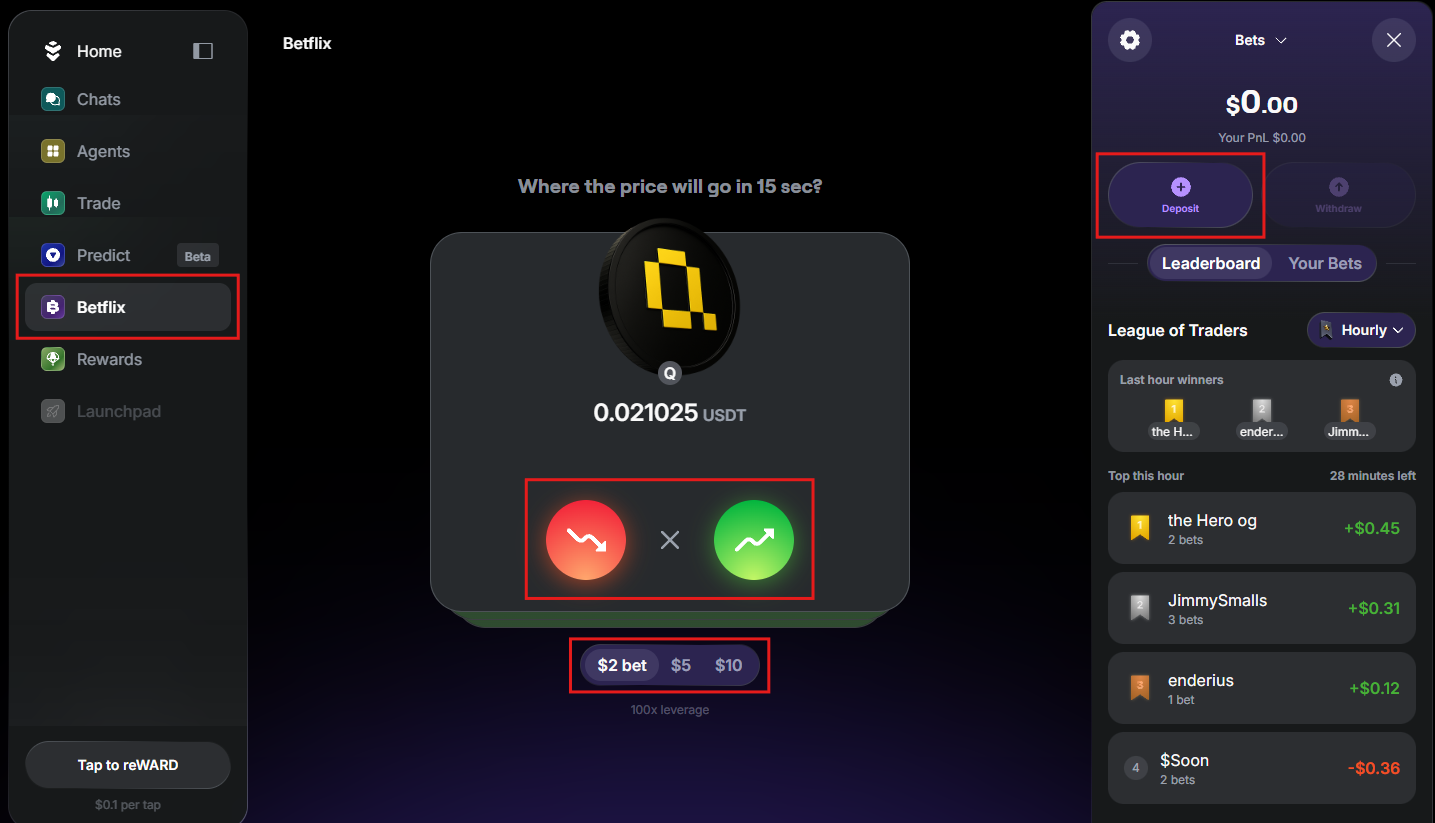
- In the left menu, select Betflix.
- In the right panel, you'll see the Betflix wallet. Click Deposit and add USDC from your main account.
- Start playing:
- Choose your bet: $2/5/10
- Swipe right → Go long
- Swipe left → Go short
- Swipe up → Don't trade
Earn reWARDs
By playing Betflix, you join the League of Traders: each swipe contributes to your hourly, daily, and weekly rankings, based on profit and streaks.
Top traders earn reWARDs—points that reward your activity in Warden:
- Hourly league: 1st–3rd ranks
- Daily league: 1st–5th ranks
- Weekly league: 1st–5th ranks
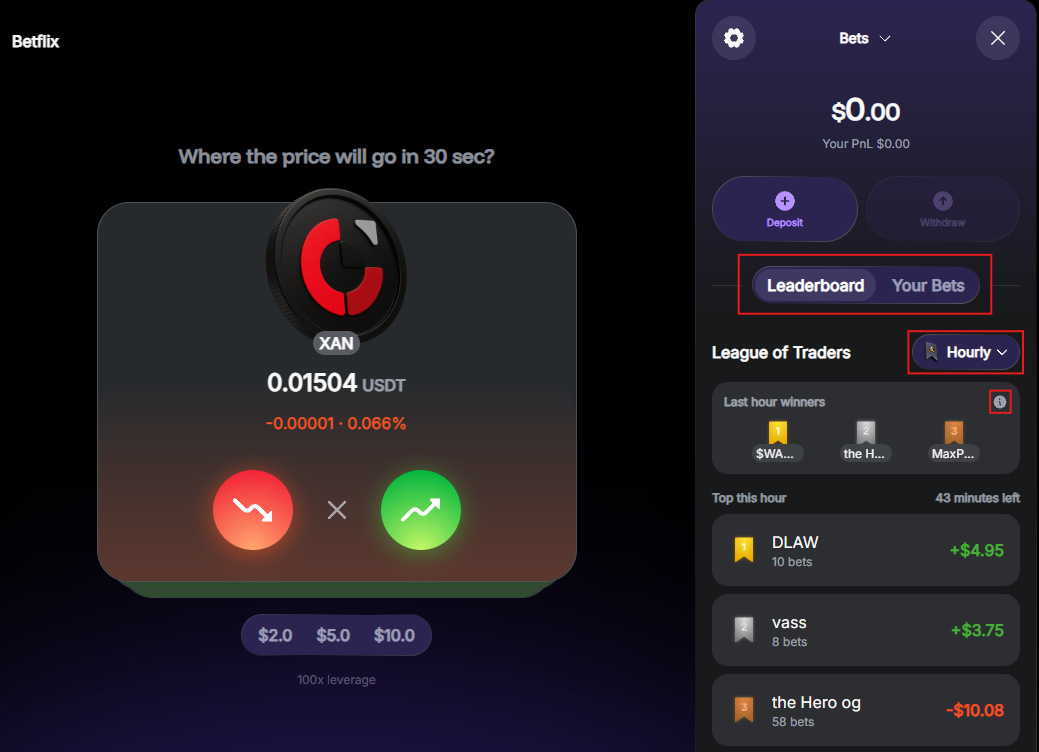
To view all leaderboards and the exact rewards, check your Betflix wallet or click the League of Traders icon at the top right:

Betflix wallet
Access
Warden stores your Betflix balance in a separate Betflix wallet, held as USDC on Solana. This protects assets in your main account.
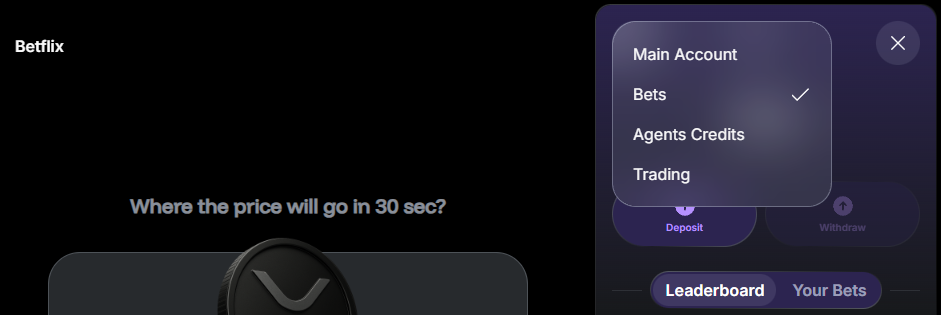
To switch between the main and Betflix wallets at any time, click the wallet icon at the top right and select Main Account or Bets at the top of the wallet:

Deposit & withdraw
This is how to move funds between your Betflix wallet and the main account:
- Open the Betflix wallet.
- Click Deposit or Withdraw.
- Enter the amount and confirm. Deposits start from $6, and withdrawals from $1.
- Warden will transfer USDC on Solana from or to your main account.
To deposit, make sure your main account has USDC on Solana.
Check your stats
In the Betflix wallet, you can also view the game statistics:
- The Leaderboard tab displays your League of Traders ranking:
- You can select the Hourly, Daily, or Weekly leagues.
- To see rewards for each rank, click the information icon next to the winners list.
- The Bets tab displays your recent plays and results.