Stake $WARD
Overview
$WARD is the native token of Warden Protocol.
If you hold $WARD, you can stake it to participate in the network's security and earn rewards. The more you stake, the more rewards you receive!
This section explains how to stake $WARD, claim rewards, stake more, or unstake.
When staking, you delegate your tokens to a preferred validator acting on your behalf. To learn more, see Warden validators.
Access staking
To access the staking screen, do this:
- Log in: 👉 Warden.
- Click the wallet icon at the top right to open your main account.
- Click Stake next to your $WARD balance.

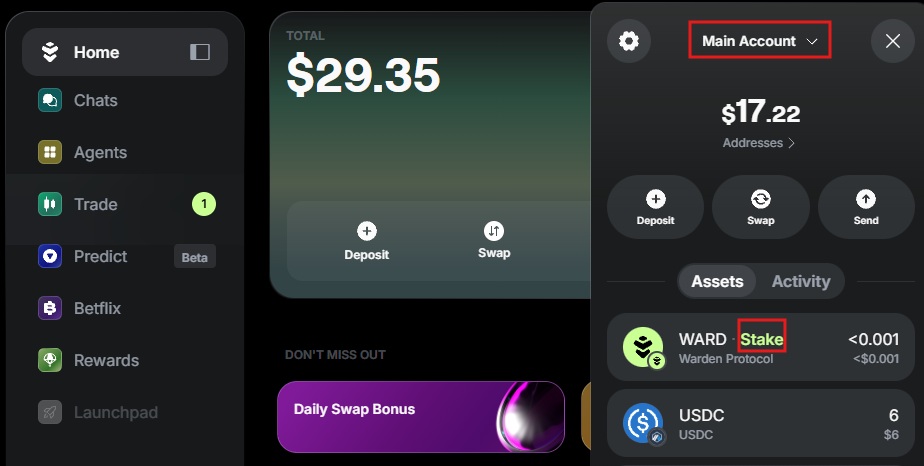
Alternatively, you can click Stake $WARD on the home screen:
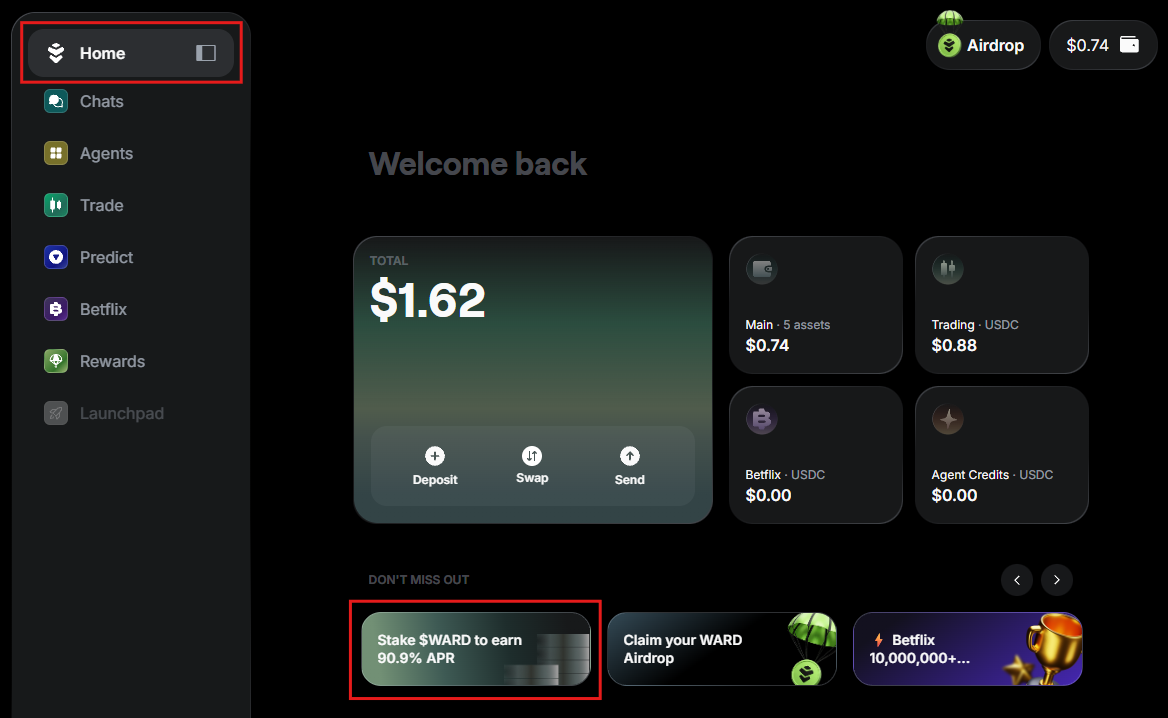
Stake
To start staking, make sure you hold enough $WARD in your main account.
Then access the staking screen and take these steps:
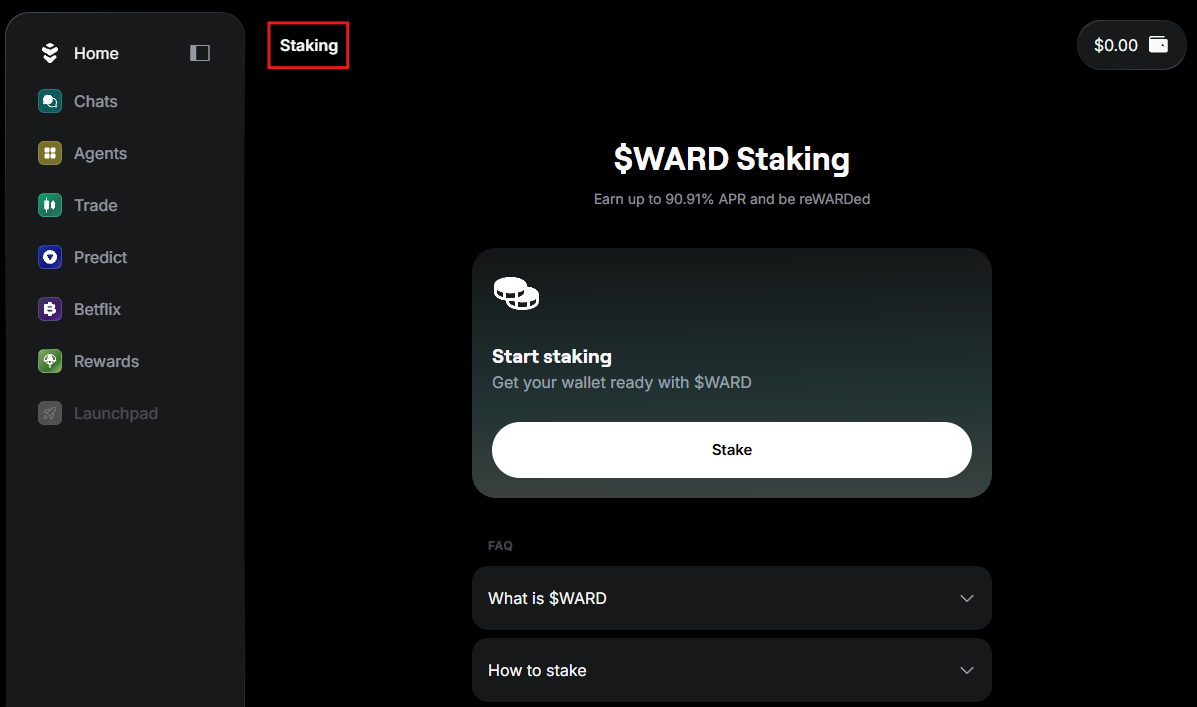
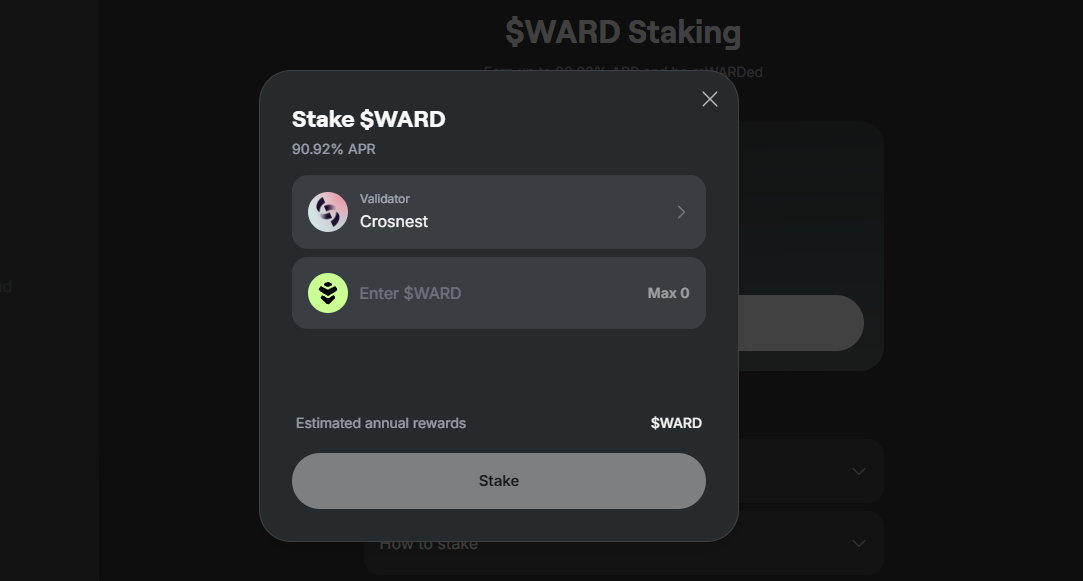
- On the staking screen, click Stake.
- Select a validator. You can sort and filter the list.
- Enter the amount to stake.
- Confirm the transaction.
Your $WARD will be delegated to the selected validator, and you'll start earning rewards. Warden will display your portfolio on the staking screen.
Please note that validators charge commissions. The amount varies.
To learn more about validators, see Warden validators.
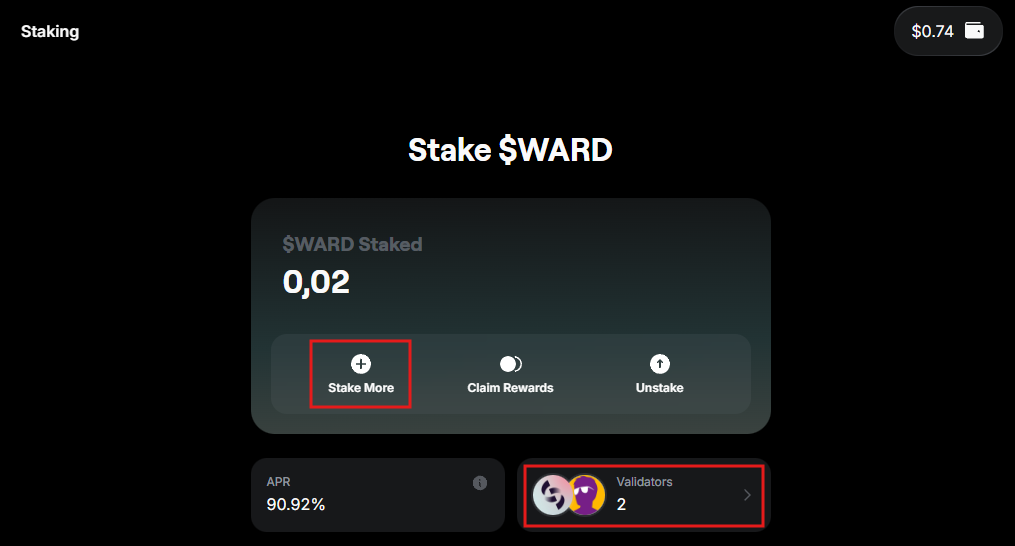
Stake more
You can always stake more.
On the staking screen, click Stake More or the list of validators from your portfolio:
Earn & claim
Staking rewards are distributed automatically by the network. They accrue over time based on the following:
- The amount you've staked
- How your validator performs
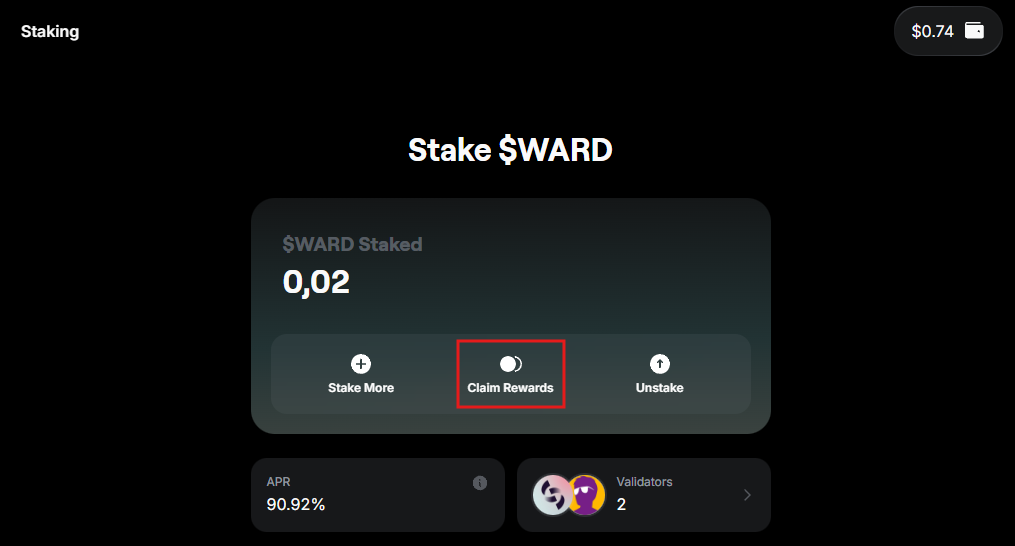
You can claim any portion of your accumulated rewards at any time:
- On the staking screen, click Claim.
- Enter the amount.
- Confirm the transaction.
You'll immediately receive $WARD to your main account.
Unstake
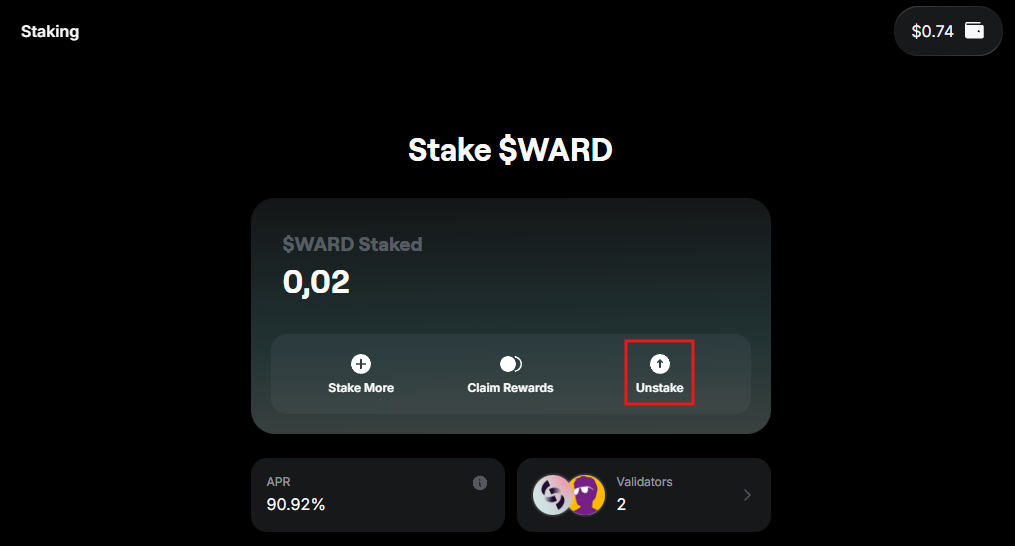
You can unstake any portion of your staked $WARD at any time:
- On the staking screen, click Unstake.
- Select the validator you want to unstake from.
- Enter the amount to unstake.
- Confirm.
There is an unbonding period of 14 days during which your tokens will be locked before they become available in your wallet again.
Warden validators
Validators are nodes that participate in the consensus process to secure the Warden Protocol network. They validate transactions and produce new blocks. By staking, you delegate your $WARD to a validator and earn a share of the rewards.
When selecting validators on Warden, you can sort them by the following parameters: total staked, voting power, and commission. Learn more: How to choose a validator?
Here are all available Warden validators:
- Crosnest
- POSITIVA
- WardenLabs
- Unity Nodes
- Citadel.one
- Coinage x DAIC
- AlxVoy⚡ANODE.TEAM
- AKNodes
- UTSA
- polkachu.com
- LithiumDigital
- CoreNode
- Cumulo
- TrustedPoint
- POSTHUMAN 🧬 StakeDrop
- CroutonDigital
- LiveRaveN
- Allnodes
- Lavender.Five Nodes
- Nodes.Guru
- DTEAM
- stakeFi
- CryptoSJnet
- MictoNode
- ITRocket
- AM Solutions
- StakeUp
- EQLab
- Inter Blockchain Services
- breskulpeak.com
- The Warden Guards
- Brightlystake
- MZONDER
- WardenIndonesia
- VALIDARIOS